

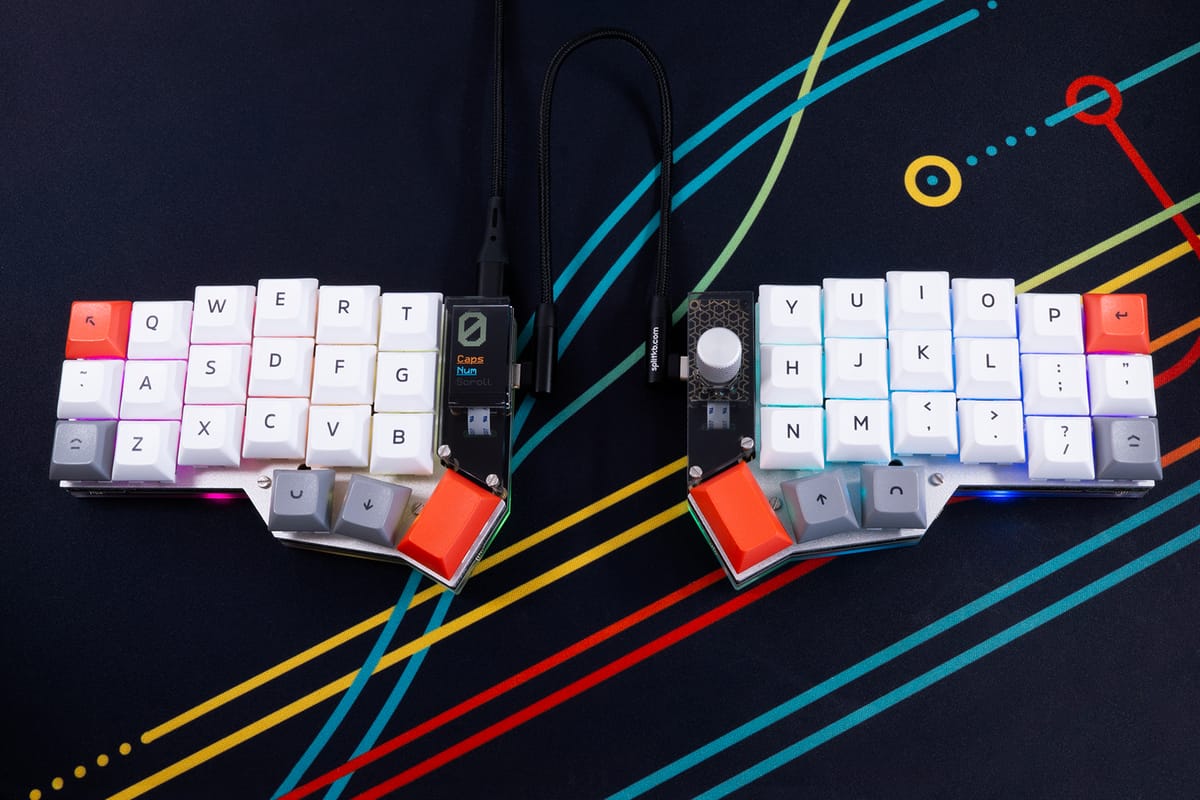
As the days have been getting colder, the holidays passed, fireworks went up in the air, and now we're all merrily getting back to our desks to do what needs doing. And you know what that means: time for a new update from your favourite keyboard people at splitkb.com 😎
In this post:
- ✨ Two new keyboards: the Halcyon Corne MX and the Halcyon Lily58 Choc
- 🛜 More Halcyon Wireless development
Halcyon Corne MX
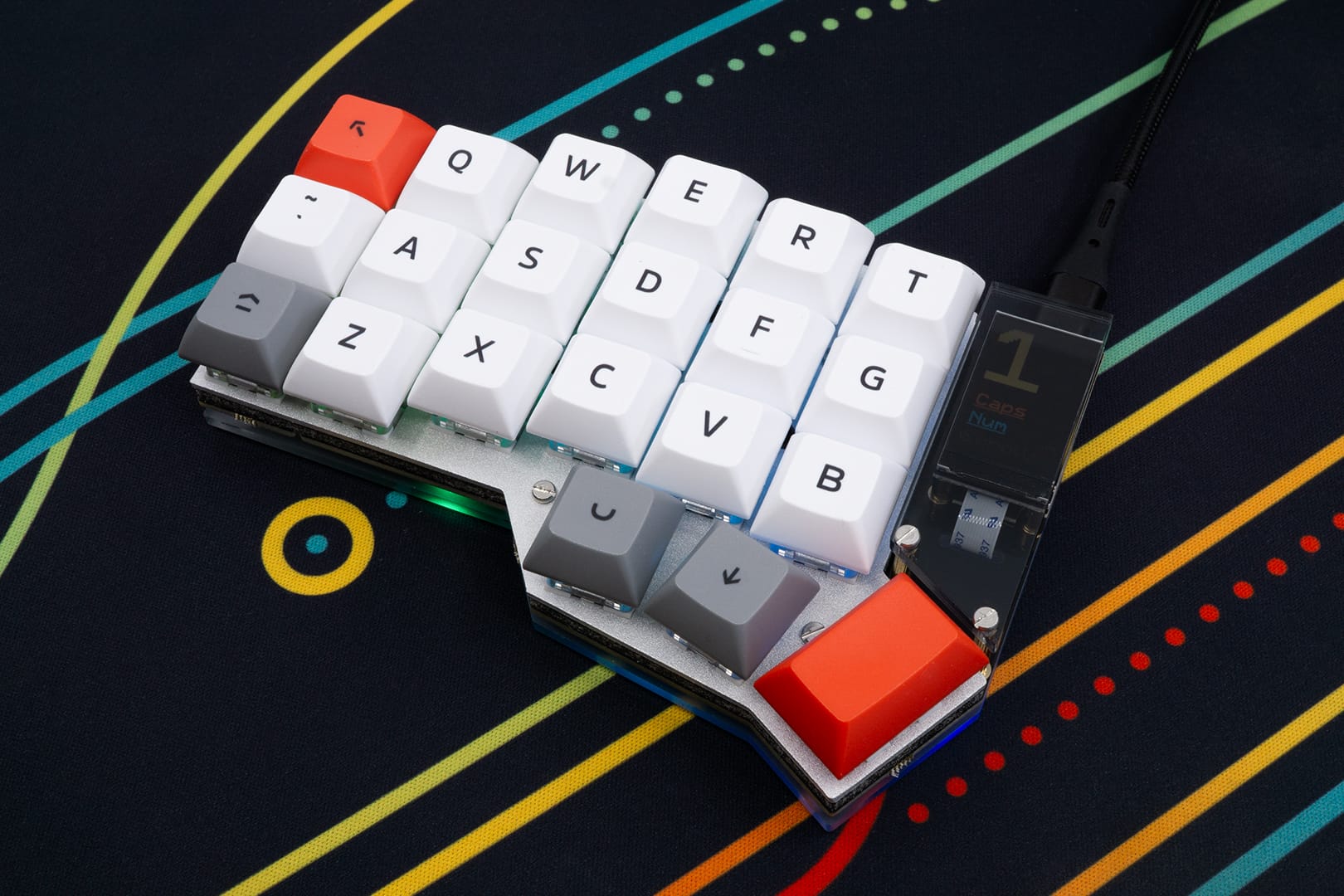
If the low profile switches weren't your cup of tea, then you won't be missing out anymore with the new Halcyon Corne MX! Using hot swap sockets, you can easily swap in your favourite MX-compatible switch, while getting the same benefits as any other Halcyon keyboard: easy no-solder assembly, various modules and top-of-the-line longevity through ESD-protection on all controller inputs and outputs.
Like the other Corne variants, this Corne is based on the original design by Foostan. It's a popular option for beginners, as while it does lack the number row, it does have enough thumb keys and an outer column to allow for a lot of flexibility in your layout. Next to that, it just looks good!
Halcyon Lily58 Choc
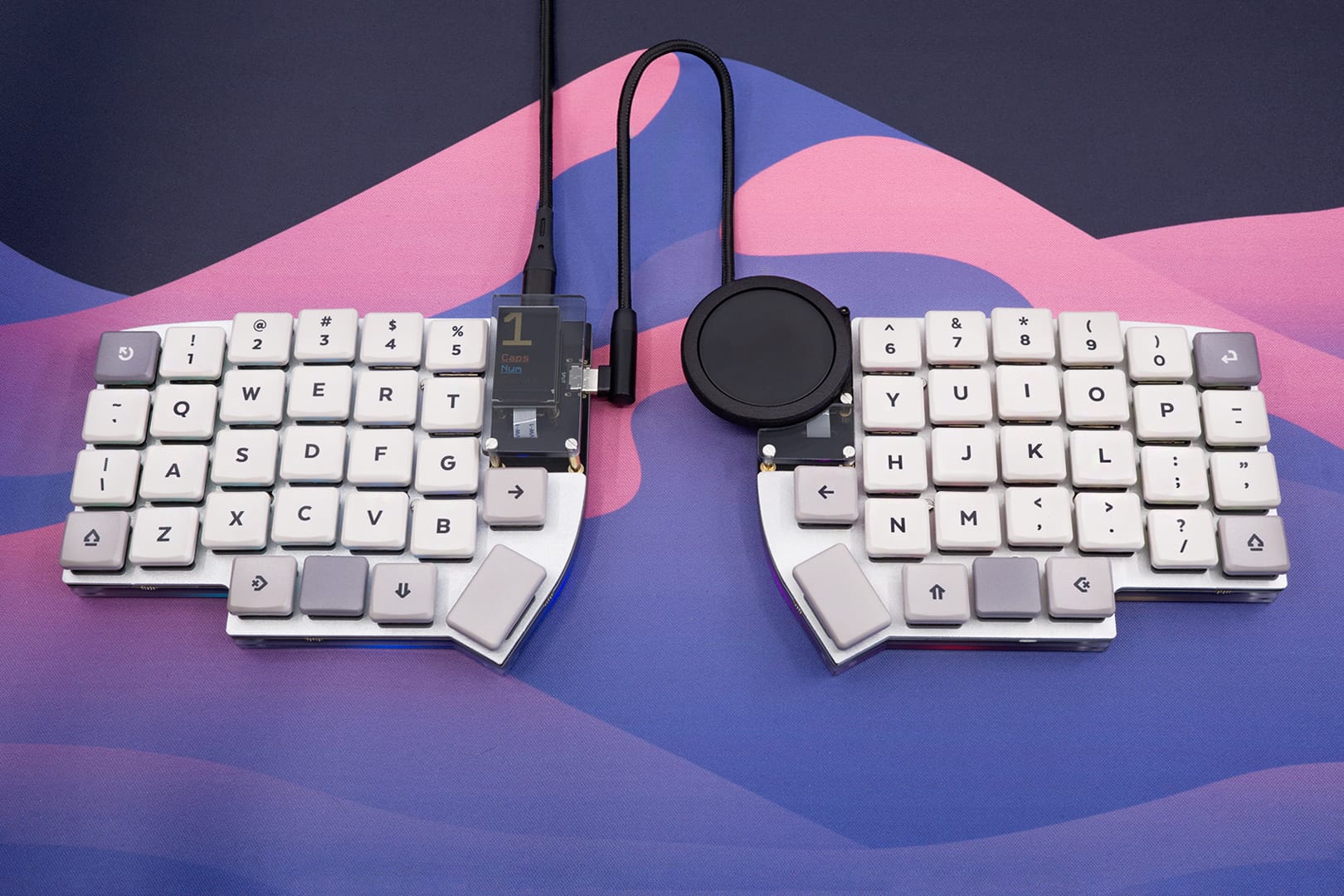
Rounding out our selection for the Lily58 is the Halcyon Lily58 Choc, allowing you to finally get your Lily58 low, low, low to your desk by using Kailh Choc Low Profile switches, shaving off about 12mm depending on which keycaps you use.
With the current selection of both nice tactile Sunset switches, the virtually silent Ambient switches as well a full selection of well-rounded original Kailh switches, the chances of your dream switch being available are pretty good! And there's a decent selection of keycaps available as well, as there are both blank and legended keycaps in various colours.
Halcyon Wireless development
One of our design goals for the Halcyon Series was to make a long-lasting, expandable platform to use as the basis for any new kits we're making. Part of that is to allow swapping the controller: it's easy to repair if need be (and so far that's almost never been necessary), easy to swap with another controller (like the upcoming wireless controller), and easy to reuse (more on that later). Mission success, so far!
We've been hard at work on the wireless controller. The last blog post had quite a lot of sneak peeks, so do check that out! The past few months were spent on testing more prototypes, measuring power draw, testing more prototypes, optimising power draw a little more... you get the idea. Small changes can have big effects, especially when you're working on a scale where many parts already draw so little power.
Pro Micro Adapter
We've been working on it and we now have a working prototype that we're satisfied with: a Pro Micro Adapter! It consists of two parts: a base board that mounts to the keyboard PCB, and an adapter board.
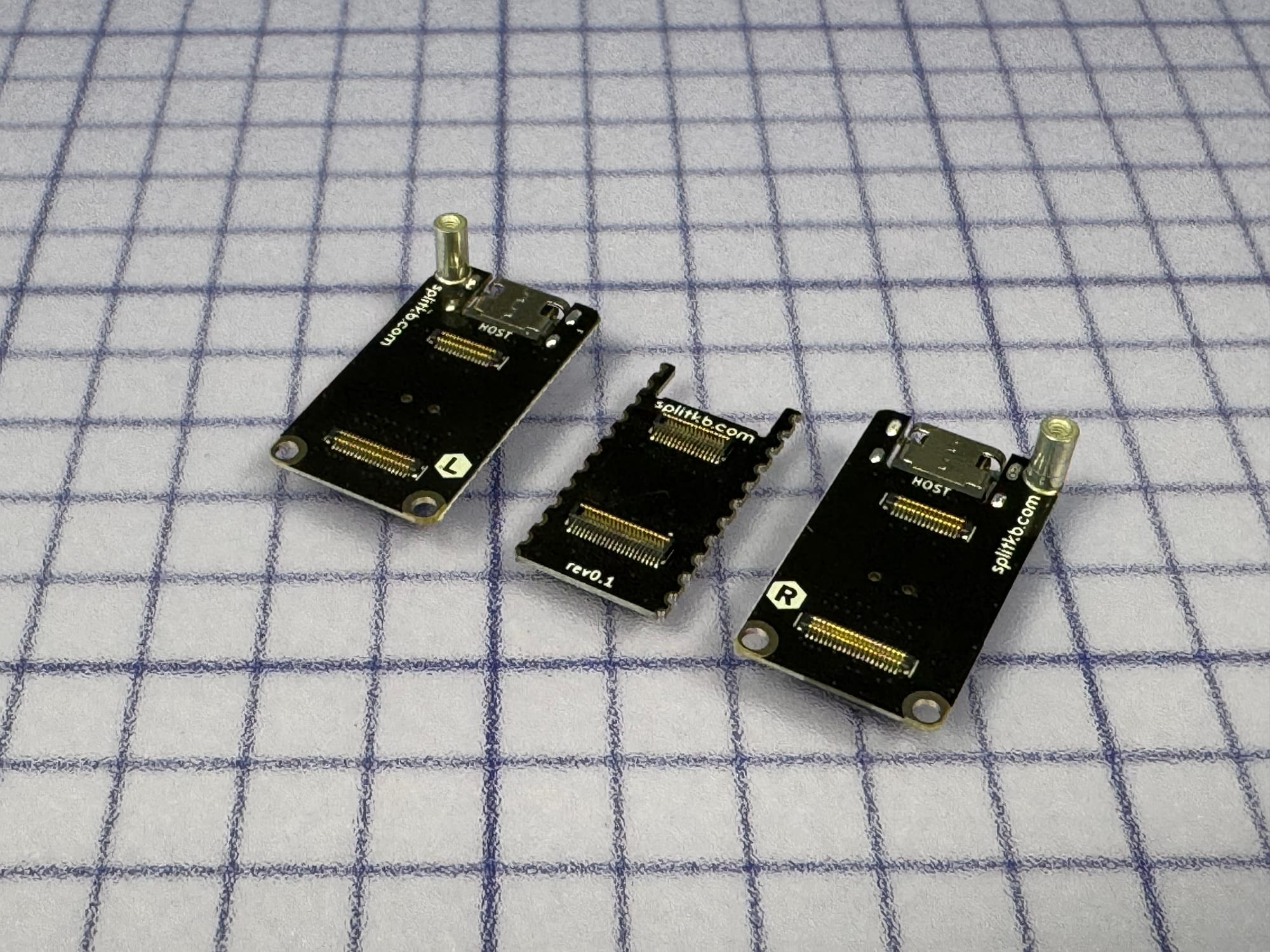
The base board has castellated holes, making it easy to solder it directly to your keyboard's PCB. It can also be soldered to hot-swap pins, so if you have a keyboard that's currently using a Pro Micro-compatible controller such as a Liatris or nice!nano, you can still switch to a Halcyon controller by getting a new set of socket pins.
The adapter board is unique to each half, similar to the design found on Halcyon keyboards. Utilising mezzanine connectors, it is easy to remove the adapter board, which is convenient: this way you can easily swap Halcyon modules.
We've added some protection circuitry to the adapter board, which protects the host device from power spikes if you accidentally unplug the TRS or TRRS cable while the keyboard is powered on. The controllers themselves already have circuitry on board which protects them from these spikes: when using the Halcyon Pro Micro Adapter, unplugging the TRS or TRRS cable won't do any damage to the keyboard, the controllers or the host device. Nonetheless, we still recommend you unplug the keyboard from its power source first, but an accidental unplugging now shouldn't cause any harm, whereas it could have meant a controller replacement with other controllers.
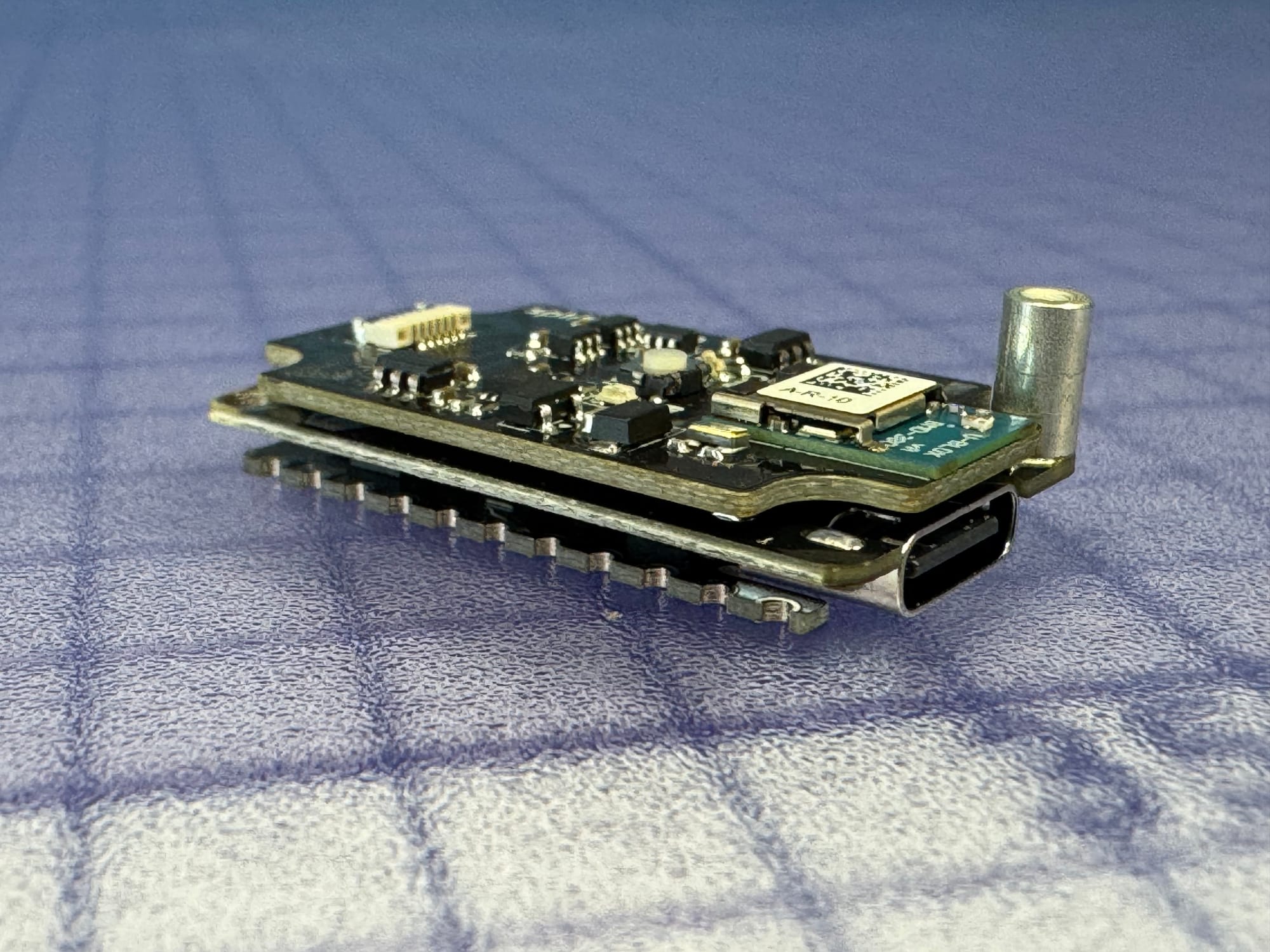
The total height of the stack comes to 9.5mm, which includes the metal standoff, and 6.7mm without the standoff. We'll make a fancy comparison graphic with pictures later, but for now here's how it stacks up (heyyy), all measurements from the top of the keyboard PCB:
- Liatris with controller sockets and Mill Max pins: 5.1mm
- Liatris with controller sockets and Samtec socket headers: 7.0mm
- nice!nano with controller sockets, Samtec socket headers and a 301230 110mAh LiPo battery: 7.0mm
- Halcyon Pro Micro adapter with controller: 9.5mm
- Halcyon Pro Micro adapter with controller, with 301230 110mAh LiPo battery stacked on top: 9.6mm
- Liatris with an SSD1306 OLED display, using the 4-pin display socket: 11.7mm
- Halcyon Pro Micro adapter with TFT LCD RGB Display Module: 12.3mm
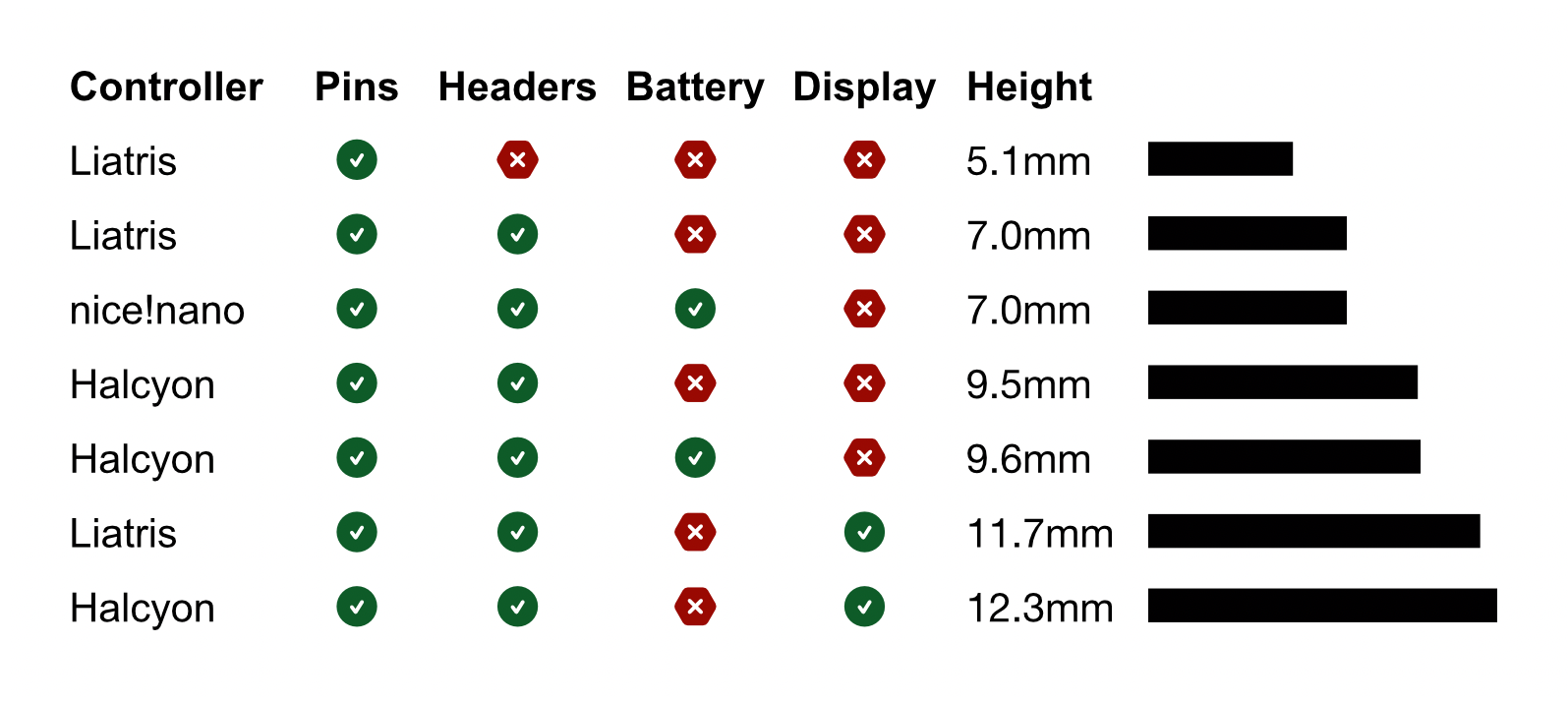
The height of the Pro Micro adapter is taller than regular stack-ups, but often it won't be very noticeable. It'll still be lower than any MX-compatible switches with keycaps, and it'll sit about as tall as Kailh Choc Low Profile switches (which together with MBK keycaps sit roughly 11mm above the keyboard PCB).
With all this said, why upgrade? Well:
- The Halcyon controllers, both wired and future wireless, have all their inputs and outputs protected against ESD damage, giving them far greater longevity than current Pro Micro-compatible controllers.
- The Halcyon controllers can survive accidental live unplugging of the TRS or TRRS interconnect cable, and the Halcyon Pro Micro adapter prevents the current rush from reaching your host device, too.
- You're able to use Halcyon Modules such as a colour display, rotary encoder and Cirque trackpad. For wireless controllers there'll also be a low-power e-paper display.
- The Halcyon controllers are CE-tested and certified, meaning they won't interfere with your devices' wireless connectivity.
The Pro Micro adapter will release alongside the wireless Halcyon controller, later this year.
Wireless USB Dongle
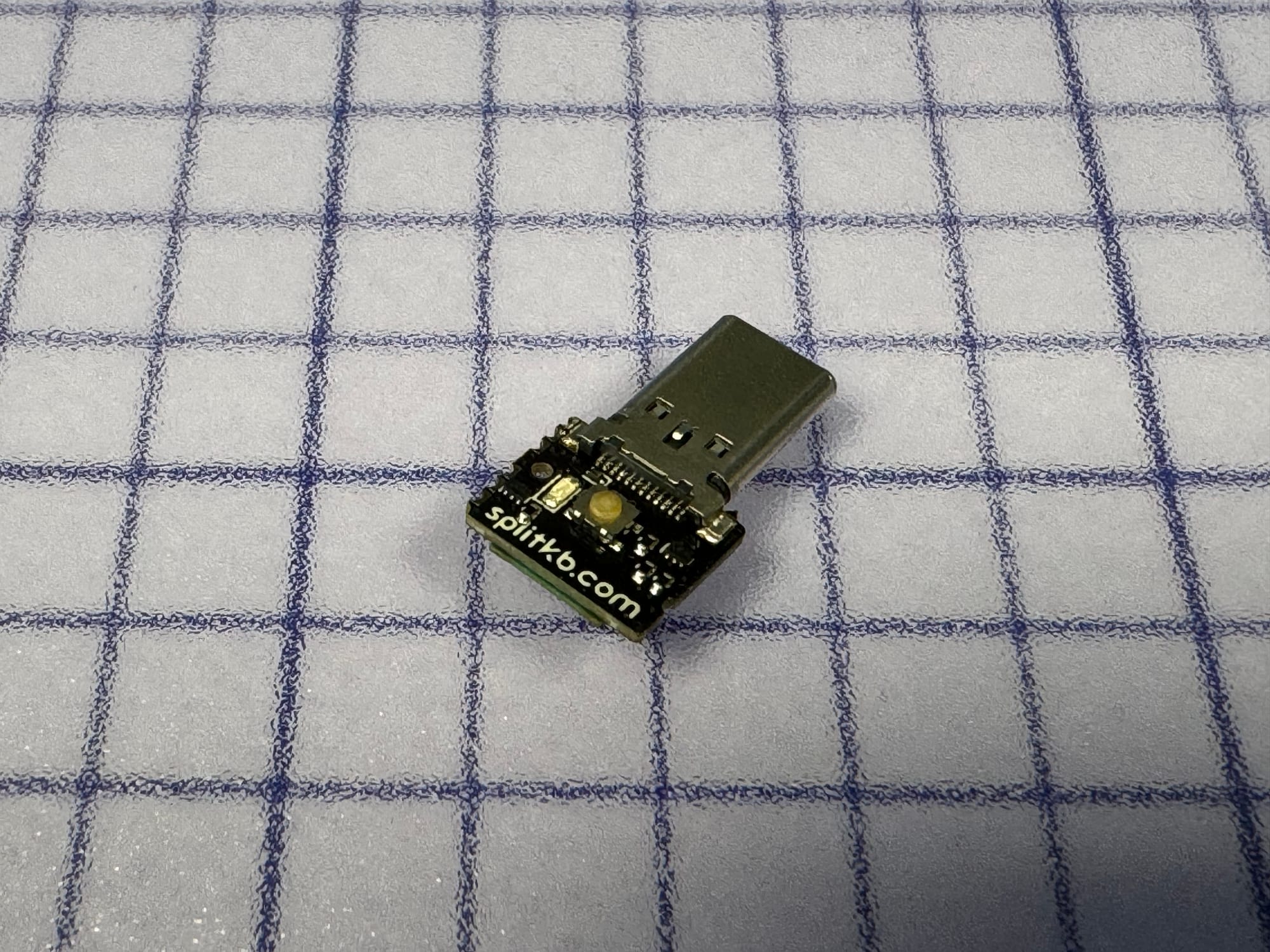
It's tiny, it's cute, and gives your keyboard far greater battery life: a wireless USB dongle!
Power draw
Usually, a wireless keyboard's peripheral half connects to the main half, and that main half connects to the host, like your computer or tablet. This means that the main half needs to keep up with two Bluetooth connections at the same time, which keeps the radio awake far more than the peripheral half, which only needs a single connection. The radio is relatively power hungry, and this eats away the battery's charge quickly.
Enter the dongle: instead of connecting to two devices, both the peripheral and the main half now connect to a single dongle instead, which can be powered by the host device. With one less connection to keep up, this means the main half now gets the same long battery life as the peripheral half. Using the ZMK Power Profiler's default values, this means that with a dongle you can get around 3 months of battery, instead of the default 2 weeks. A sixfold increase!
When pairing the dongle with a keyboard using coin cell batteries for their power source, we estimate a battery life between 6 and 9 months. Coin cell batteries aren't plagued by the same strict regulations as LiPo batteries are, so we're able to ship these together with the keyboards. You'll see the same battery life increases on LiPo batteries as well though, so it means less charging or replacing all around!
Current options
There are some options that people currently use for dongles, such as the XIAO nRF52840, which is relatively affordable and relatively small. However, it comes with a female USB C port, meaning you'll still need a cable. Several dongles in the form of a USB stick are currently available, but they're either using USB A or cannot be flashed easily, which you do need to be able to in order to flash new firmware to it. Even when using ZMK Studio, it's still something you need to do at least once, and that process should be easy.
Our dongle
We wanted a dongle using USB C, which is starting to become the new standard. That way, you can plug it into a modern laptop, tablet or phone without the need for an adapter, and when using a PC you can still use a USB C-to-A adapter and hide it away at the back of the PC.
We also wanted it to be easy to flash, so it comes with a button to put it in bootloader mode, after which it shows up to your computer as a disk drive as is common with wireless controllers.
We also wanted it to be as small as possible. Using USB C means we can't perform some tricks to hide components underneath the connector like you could with USB A, so it's a bit bigger than the Logitech dongles you're likely familiar with, but it's still plenty small enough to leave put in your laptop and forget about it being there.
We still need to give it a case, which we hope to injection mould, though a first version might get a 3D-printed case at first. Development on this is still ongoing, but I wanted to spread the word ahead of time: it's coming this year alongside the wireless Halcyon controller!
Closing words
We're still hard at work, as all the individual parts need developing, testing, certification, documentation... and some revisions along the way. The release of the wireless controller along with its (many!) supporting parts and accessories will still take a good few months, though it'll definitely be this year: likely by the end of Q2 with a little luck and a lot of proverbial elbow grease. I'm looking forward to it!
If you ever have any questions, please feel free to ask them on our Discord server, or send an email to support@splitkb.com. We're always happy to help!
Thank you for reading all this, and see you at the next update! ❤️